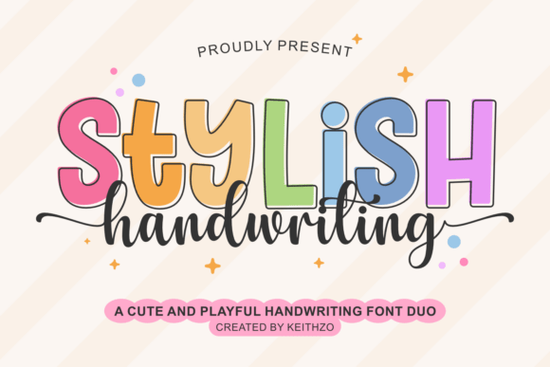
If you need a typeface that feels both polished and personal, Stylish Handwriting Font delivers exactly that. It pairs a bold, modern display style with a relaxed script that mimics real pen strokes. The clean lines and built-in swashes make it especially useful for crafters, print-on-demand sellers, and small business owners who want consistent results across digital and physical products.
What makes this font duo work for everyday design projects?
Most handwriting fonts struggle with readability when scaled down or cut on vinyl. This duo solves that problem by keeping the letterforms open and well-spaced. The display font handles headlines and short phrases without overwhelming the layout, while the script adds a friendly, hand-drawn touch. You also get full OpenType support, which means the stylistic sets and decorative swashes activate automatically in compatible programs. Numbers, punctuation, and standard glyphs are included, so you never have to switch typefaces mid-project.
When you are planning seasonal items like spring greetings or birthday party decor, the playful tone fits naturally. The strokes are thick enough for weeding vinyl, yet delicate enough for digital planners and social media graphics. If you prefer a slightly different mood for other campaigns, you might also browse options like a relaxed weekend script or a breezy coastal typeface to keep your shop listings fresh.
Which software and cutting machines handle the files best?
Designers working in Adobe Illustrator, Photoshop, or InDesign will notice the OpenType features right away. You can toggle stylistic alternates directly from the glyph panel, which saves time when you are customizing logos or packaging labels. For Cricut and Silhouette users, the font installs like any standard system typeface. Once installed, it appears in Design Space and Silhouette Studio. I recommend converting your text to outlines or welding the letters before cutting, especially when you use the longer swashes. This prevents the blade from lifting thin connectors and keeps your vinyl or heat transfer material intact.
Sublimation projects benefit from the same clean geometry. The bold display weight holds up well on dark fabrics, while the script prints crisply on light mugs and tote bags. If you teach design workshops or create classroom materials, the legible letter shapes work nicely for worksheets and printable trackers. Educators who need a more academic feel for study guides often pair this style with a clean classroom typeface to balance creativity with readability.
How do I get the most out of the stylistic swashes?
Swashes can quickly clutter a layout if they are overused. The trick is to apply them only to the first or last letter of a word, or to isolate them for decorative dividers. In programs that support OpenType, you can preview each alternate before committing. When you are designing for print-on-demand platforms, remember that some automated mockup generators flatten text layers. Always export your final artwork as a high-resolution PNG or vector file with the fonts outlined. This guarantees that the swashes render exactly as you intended, regardless of the printer’s system fonts.
If you want to explore similar handwritten styles for branding kits, a sweet fruit-inspired script can complement the bold display weight nicely. Mixing two typefaces from the same family or with contrasting x-heights usually creates a balanced hierarchy without extra effort. You can also review the complete handwriting duo page to see how the alternates look in real mockups before starting your layout.
What should I check before adding it to my toolkit?
Before you download any font for commercial work, verify the license terms for your specific use case. Most craft-friendly bundles allow personal projects and small batch sales, but print-on-demand marketplaces and digital product resale often require an extended commercial license. Check whether the bundle includes web font files if you plan to use it on a live website. Also, test a few sample phrases at different sizes to confirm that the spacing works for your preferred medium. You can preview the complete character set and grab the current license details for the Stylish Handwriting Font directly from the creator’s page.
Quick setup checklist for your next project
- Install the OTF or TTF files and restart your design software to refresh the font menu.
- Open the glyph panel to locate swashes, alternates, and punctuation marks.
- Convert text to outlines before sending files to Cricut, Silhouette, or sublimation printers.
- Export artwork at 300 DPI for physical products, or 72 DPI for web and social media.
- Review the commercial license to confirm coverage for POD, digital downloads, or client work.
Keep a small reference sheet with your favorite letter pairings and swash combinations. It speeds up future layouts and helps maintain a consistent brand voice across cards, apparel, and digital templates.
Explore Design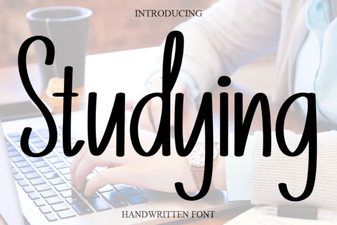 Best Fonts for Studying and Effective Learning Materials
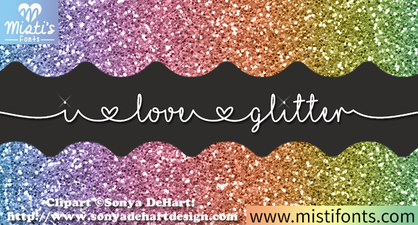 Spark Your Designs with Glitter Font Creativity
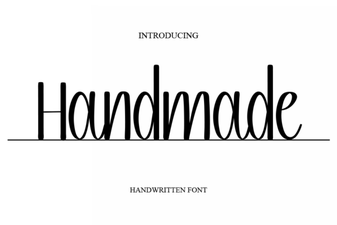 Creative Projects Using Handmade Fonts
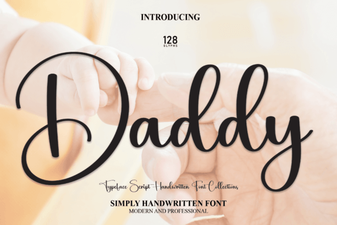 The Daddy Font Style Guide for Creative Projects
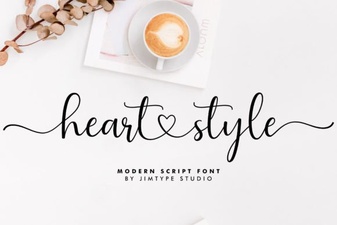 Heart-Style Fonts for Your Creative Design Projects
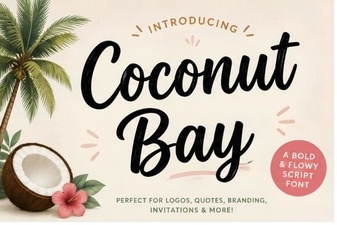 Coconut Bay Font: Creative Designs for Seaside Projects