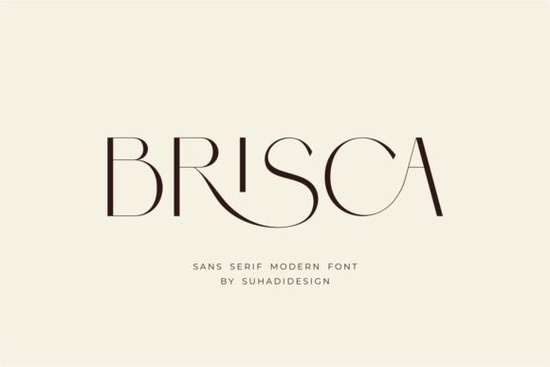
If you are looking for a clean, modern sans serif that handles both headlines and body text without feeling stiff, Brisca Font is worth a closer look. It strips away unnecessary details while keeping a subtle elegance that works across digital screens and printed materials. The typeface includes built-in ligatures, which automatically connect certain letter combinations to improve readability and give your layouts a polished, professional finish. Whether you are designing a cosmetics label, setting up a print-on-demand store, or refreshing a small business identity, this font family gives you a reliable foundation that stays legible at any size.
What makes this typeface stand out for branding?
Modern branding rarely relies on decorative flourishes. Instead, it depends on clear letterforms, consistent spacing, and subtle details that hold up across different mediums. Brisca delivers exactly that. The strokes are evenly weighted, which means your text will look balanced on a mobile screen, a business card, or a large storefront sign. The included ligature feature is particularly useful for wordmarks and logos. When you type combinations like “fi,” “fl,” or “tt,” the font automatically swaps them for smoother, connected glyphs. This small detail removes awkward gaps and makes custom logos look intentionally crafted rather than quickly typed. You can preview the full character set on the Brisca typeface page to see how the ligatures render in real time.
Where does it fit best in real projects?
Because the design stays neutral yet refined, it adapts quickly to different industries. Designers often reach for it when they need a typeface that feels current without chasing short-lived trends. Here are the projects where it consistently performs well:
- Cosmetics and beauty packaging: Clean lines keep ingredient lists readable while the overall style feels premium.
- Print-on-demand apparel and mugs: The straightforward geometry prints clearly on fabric, ceramic, and paper without blurring.
- Social media templates and digital ads: High x-height and open counters ensure text remains sharp on small phone screens.
- Editorial layouts and magazines: Even spacing makes long paragraphs comfortable to read, while the modern tone keeps pages looking fresh.
- Business cards and stationery: The restrained style leaves room for your logo and contact details to breathe.
How do I pair it with other typefaces?
A single font rarely carries an entire brand system. Pairing Brisca with complementary styles helps you create visual hierarchy without cluttering your design. If you need a slightly more geometric alternative for headers, Edition pairs nicely with softer layouts and adds a structured contrast to your subheadings. When your project calls for a hand-drawn accent, Norfleet Sketch adds a relaxed single-line contrast that works well for signatures, quotes, or casual callouts. For packaging that needs a warmer, organic feel, Cultivo brings a friendly touch to product labels and ingredient panels. If you are designing bold social media graphics, Bouldy gives you a heavier weight that stands out in crowded feeds while keeping the overall aesthetic cohesive.
What should I check before using it commercially?
Before you drop any typeface into a client project or a product listing, take a few minutes to verify the licensing and technical details. Most font marketplaces offer separate licenses for personal use, commercial merchandise, and web embedding. Make sure the license covers your specific use case, especially if you plan to sell physical goods or digital templates. Check that the download includes both OTF and TTF files, as some design software and cutting machines prefer one format over the other. Install the font properly by clearing your font cache if you notice missing glyphs or spacing issues. Finally, test your layouts at actual print size and on multiple screens. What looks perfectly spaced on a 27-inch monitor might need slight tracking adjustments when printed on a 3-inch sticker.
Ready to put this typeface to work? Run through this quick checklist before exporting your final files:
- Verify the commercial license matches your intended product or client project.
- Turn on OpenType ligatures in your design software to activate the smooth letter connections.
- Test readability at small sizes and adjust tracking by 10–20 units if the text feels tight.
- Export a print-ready PDF with embedded fonts and a separate PNG for digital previews.
- Keep a backup of the original font files in your project folder for future edits.
Download the family, run a few mockups, and see how the clean lines and built-in ligatures streamline your next branding or print project.
Get Started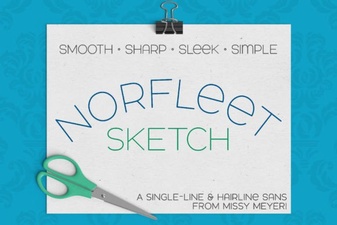 Single Line Font for Modern Design Projects
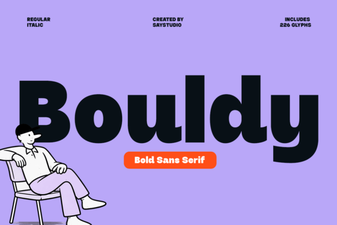 Bouldy Font: Creative Display for Modern Designs
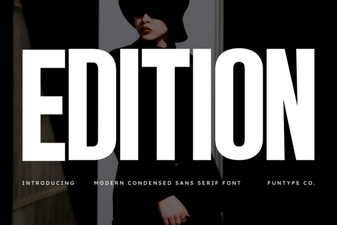 Craft & Design with Edition Font Templates
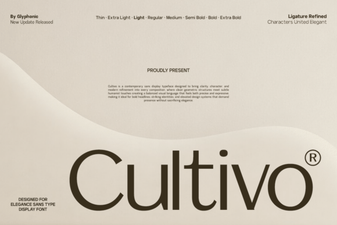 Cultivo Font: Enhance Designs with Organic Typography
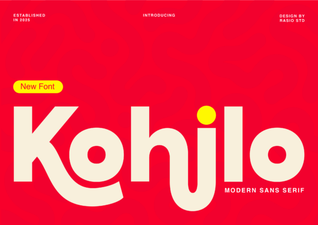 Kohilo Font: Creative Design Projects & Inspiration
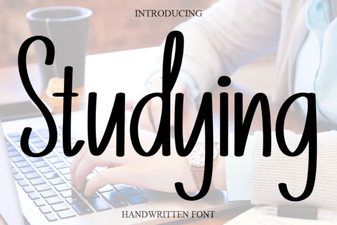 Best Fonts for Studying and Effective Learning Materials