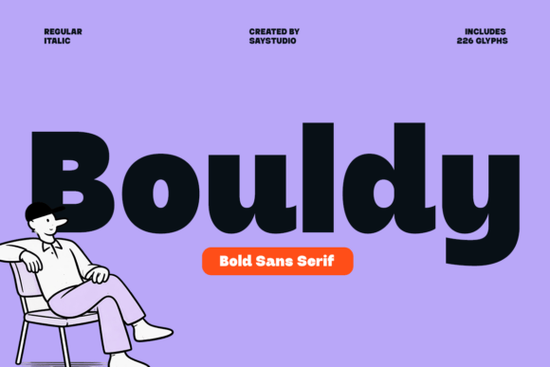
If you need a typeface that feels both strong and approachable, Bouldy Font delivers exactly that. This bold sans serif combines thick letterforms with smooth, rounded edges, making it a reliable choice for logos, social media graphics, packaging, and print-on-demand products. It reads clearly at large sizes while keeping a friendly, modern personality that works across digital and print projects.
What makes this typeface different from other bold sans serifs?
Many heavy fonts sacrifice readability for impact, but this design keeps the curves soft and the spacing balanced. The rounded terminals give it a casual warmth, which helps it feel less corporate and more human. That balance is especially useful when you are designing for small businesses or lifestyle brands that want to look confident without appearing stiff. The clean geometry also means it scales well, whether you are printing it on a tote bag or using it as a YouTube thumbnail headline.
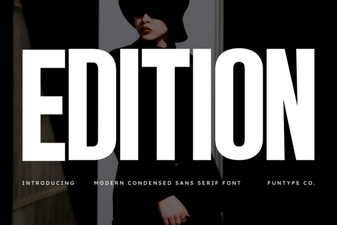
If you have experimented with heavier typefaces before, you might notice how some feel blocky or difficult to pair. This one avoids that problem by keeping the proportions open and the strokes consistent. For a slightly different take on modern sans serif styling, you could also browse options like Edition or Cultivo when you want to compare weights and character sets.
Where does it work best in real projects?
Because of its thick structure and playful curves, this font shines in places where you need instant visual grab. Here are a few practical applications:
- Brand logos and wordmarks: The rounded edges soften the bold weight, making it ideal for cafes, studios, and creative agencies.
- Social media templates: Headlines and quote graphics stay highly readable on mobile screens.
- Product packaging and labels: The clear letterforms print cleanly on kraft paper, cardboard, and matte stickers.
- Print-on-demand merchandise: T-shirts, mugs, and tote bags benefit from the strong silhouette and casual tone.
When you are setting up a design file, keep the tracking slightly loose for all-caps layouts. That small adjustment prevents the thick strokes from blending together and keeps the text breathing.
How do you pair it without creating visual clutter?
A heavy display typeface needs a lighter partner to maintain hierarchy. Since this font already carries a lot of visual weight, pair it with a thin sans serif or a clean serif for body copy. Avoid using another bold font nearby, as the competition for attention will make the layout feel crowded. If you are building a brand kit, you might test it alongside Kohilo for a more geometric contrast, or try Norfleet Sketch when you want to add a hand-drawn accent to your mockups.
Color choice matters just as much as pairing. Dark charcoal or deep navy text on a light background keeps the thick strokes sharp. If you reverse it to white text on a dark background, increase the font size slightly to prevent the curves from filling in during printing or screen rendering.
What should you verify before adding it to your toolkit?
Not every bold font includes the characters you need for multilingual projects or special formatting. Before you commit to a download, check the following details in the product files:
- Full uppercase and lowercase sets, plus numerals and standard punctuation
- Support for accented characters if you design for international audiences
- Commercial licensing terms that match your intended use, especially for print-on-demand or client work
- File formats included, such as OTF, TTF, and web-ready WOFF versions
You can also review the full Bouldy typeface collection to see if alternate weights or layout previews better suit your workflow. Having the right license saves time later, especially if you plan to sell physical products or digital templates.
Ready to test it in your next layout?
You can explore Bouldy Font directly on Creative Fabrica to preview the full character map and download the package. Before you start designing, run through this quick setup checklist:
- Install the OTF or TTF files and restart your design software to ensure the font loads correctly.
- Type out your actual project copy instead of placeholder text to check real-world spacing and legibility.
- Test the font at both small and large sizes to confirm how the curves render on screen and in print.
- Save a branded text style or paragraph preset so you can reuse the exact weight, tracking, and color across future files.
Keeping your workflow organized from the start makes it much easier to maintain consistency across social posts, packaging, and client deliverables. Pick a simple layout, apply the typeface, and see how the bold, friendly shapes change the overall mood of your design.
Learn More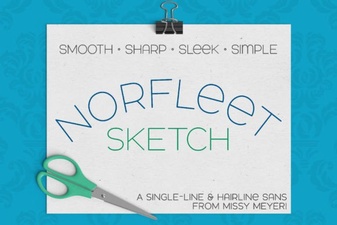 Single Line Font for Modern Design Projects
 Craft & Design with Edition Font Templates
 Brisca Font: Stylish Designs & Creative Projects
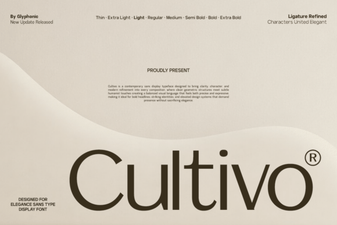 Cultivo Font: Enhance Designs with Organic Typography
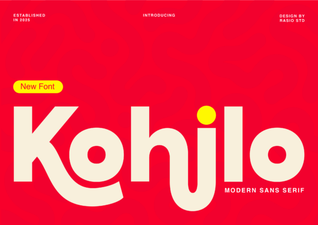 Kohilo Font: Creative Design Projects & Inspiration
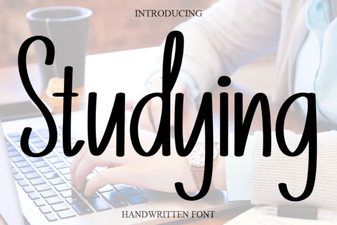 Best Fonts for Studying and Effective Learning Materials