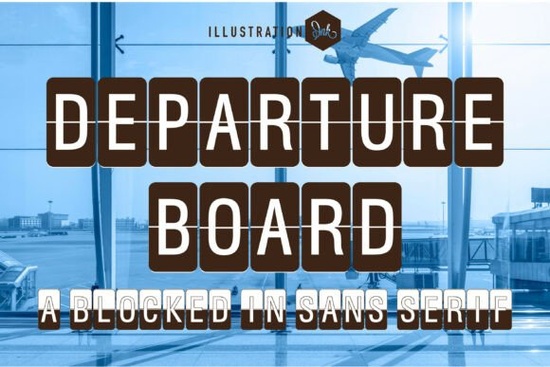
If you need a typeface that instantly reads like a vintage terminal sign, Departure Board Font delivers that exact look without the hassle of building split-flap graphics from scratch. The design wraps clean uppercase letters inside tall, rounded rectangles and slices each character straight down the middle. That simple split creates the illusion of mechanical display boards you would see at mid-century airports, while keeping the overall shape tidy enough for modern layouts.
What makes this typeface different from other display fonts?
Most retro typefaces rely on heavy textures or exaggerated curves to sell a vintage vibe. This one uses a blocked-in sans serif structure with consistent capsule shapes, so every letter sits inside its own neat frame. The center split runs along the baseline, giving you that familiar mechanical flip effect while preserving readability. Because the characters are uniformly spaced and strictly uppercase, you get a predictable grid that aligns cleanly on posters, packaging, and digital headers. It saves you from manually adding borders or slicing letters in your design software.
Where does it work best in real projects?
The structured capsule shape naturally draws the eye, making it ideal for quick visual impact. Travel bloggers use it for route-map headers, while print-on-demand sellers place it on tote bags, luggage tags, and enamel pins. Small businesses working on cafe menus, boutique shop signs, or office wayfinding layouts appreciate how the uniform rectangles create a clean, industrial rhythm. It also translates nicely to social media covers. When you want something playful but still organized, you might browse options like hand-drawn display styles to balance the mechanical feel.
How do you pair it without cluttering your layout?
Since every letter comes pre-framed, this typeface carries significant visual weight. Let it handle headlines or short phrases, then switch to a simple sans serif or lightweight monospace for body copy. Keep line length short. Two to four words per line work best, as the capsules stack neatly. For vintage transit prints, place the headline at the top third of the canvas and leave generous white space below. If you need a softer contrast, test elegant display alternatives in subheadings, or mix in playful handwritten accents for a relaxed vibe. When your brand leans toward bright themes, cheerful display fonts can complement the industrial structure. You can also explore the full collection of terminal-inspired typefaces to find matching layouts.
What should you check before purchasing?
Display fonts with built-in frames behave differently than standard typefaces. First, confirm the file includes standard desktop formats like OTF and TTF. Second, review licensing terms if you plan to sell physical products or digital templates. Many creators offering Departure Board Font provide commercial licenses for print-on-demand items, but always verify exact usage rights. Third, test spacing in your software. The built-in capsules rarely need tracking adjustments, but you may need to tweak line height so frames do not overlap.
How do you get the most out of the split-flap effect?
The center split is the main visual hook. Use solid, flat colors rather than gradients, which can blur the division line. Dark backgrounds with light text keep the mechanical illusion sharp. If printing on matte paper or uncoated cardstock, the crisp edges will hold up well. For digital use, export at high resolution and avoid heavy drop shadows. When emphasizing a single word, increase the point size slightly and add a thin border around the text block to mimic an actual terminal sign.
Before you finalize your design, run through this quick checklist:
- Keep headlines to two or four words for clean capsule alignment.
- Pair with a lightweight sans serif or monospace for body text.
- Use flat colors and high contrast to preserve the center split.
- Check line height so rounded rectangles never touch or overlap.
- Verify commercial licensing for POD items or digital templates.
Test a short phrase in your layout today, adjust the spacing until the capsules sit evenly, and save the file as a reusable template for future projects.
Try It Free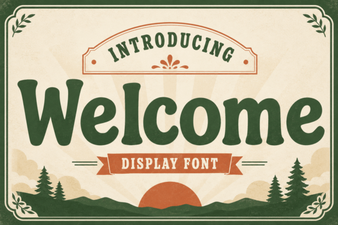 Welcome Fonts for Creative Web Design Projects
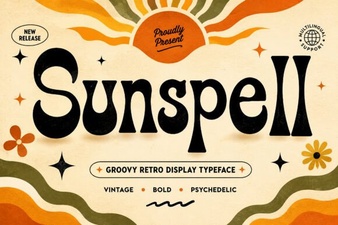 Sunspell Font: a Retro Display Typeface for Projects
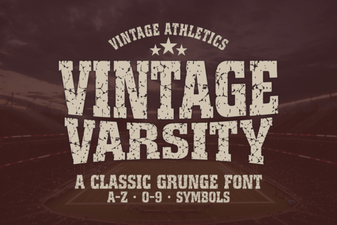 Unlock Retro Designs with Vintage Varsity Fonts
 Rabbit Hole Font Design Projects & Tutorials
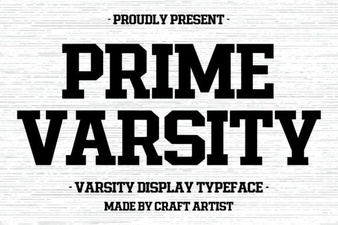 Prime Varsity Font for High-Performance Designs
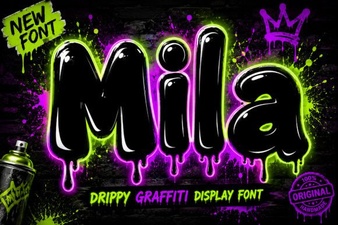 The Mila Font: Elegant Modern Typography for Designers