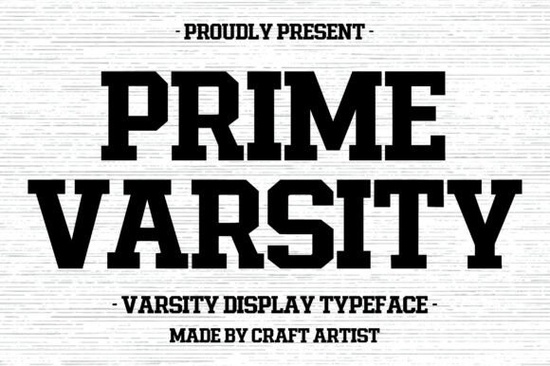
If you need a typeface that instantly reads as athletic, collegiate, or vintage streetwear, Prime Varsity Font delivers exactly that. Built with thick, blocky serifs and heavy strokes, it skips delicate details and goes straight for high-impact readability. Designers, print-on-demand sellers, and crafters use this style when they want lettering that holds up on fabric, posters, and digital mockups without losing its shape.
What makes this lettering work for team gear and apparel?
The structure relies on uniform weight and sharp corners, mimicking traditional university block letters. That consistency matters when scaling designs across different products. A heavy display face like this stays legible on a curved cap, a stretched jersey back, or a small tote bag print. The straight edges make weeding vinyl cleaner, and screen printing meshes handle the thick lines without bleeding. If you run a craft cutter or manage a small shop, you will notice fewer failed prints and less time fixing fragile letterforms.
When you want to age the design for a retro team look, you can overlay texture or swap to a worn display style that carries the same heavy footprint. The blocky foundation accepts grunge masks and split-color effects without breaking apart.
Where does it fit best in your design workflow?
This typeface is not meant for body copy. It works as a headline, a squad name, a year mark, or a short tagline. Keep your character count low and let the weight do the talking. For event posters, pair it with a clean sans-serif for dates and venue details. For university-themed merch, stack the letters tightly and add a simple outline to separate it from busy backgrounds.
If your project needs a softer contrast, try balancing the heavy athletic vibe with a bright, playful display option for secondary text. The contrast between sharp block letters and rounded pop shapes creates a modern streetwear feel. You can also test a refined display typeface when you need a touch of elegance on boutique athletic wear.
How do you handle spacing and file setup?
Block serifs demand careful kerning. Automatic tracking often leaves awkward gaps between straight edges and angled corners. Manually adjust the space between characters until the negative shapes look even. When preparing files for production, follow these basics:
- Convert text to outlines before sending to print shops or cutting software.
- Keep a minimum stroke width of 0.02 inches for vinyl and heat transfer applications.
- Test your design at full scale and at twenty-five percent to check readability.
- Use high-contrast color pairs like navy/white or maroon/cream for maximum impact.
For youth-focused projects or school spirit packs, you might want a friendlier accent. A hand-drawn display style works well for subheadings, player nicknames, or decorative badges. If you enjoy experimenting with unconventional layouts, browsing a bold display collection can spark ideas for layered typography.
What should you verify before using it commercially?
Always check the license file included with your download. Some font packages allow personal use only, while others include a commercial license for physical products or client work. If you plan to sell editable templates or share the actual font file, you will likely need an extended license. Keep your purchase receipt and note the version number, since updates can change glyph sets.
You can review the full character set, licensing terms, and current pricing for Prime Varsity Font directly on the marketplace. Make sure the package includes the file formats your software requires, typically OTF or TTF.
Quick setup checklist before you export
- Confirm the license covers your intended use, whether for POD, client work, or digital downloads.
- Install the font and restart your design app to avoid missing glyph errors.
- Set tracking to zero and kern manually for tight, even spacing.
- Run a test cut or print on scrap material to check edge clarity.
- Save a copy with outlined text and a separate editable version for future tweaks.
Start with a simple three-word layout, test it on your target product, and adjust the spacing based on how the material handles ink or vinyl. Once the baseline looks clean, you can safely scale the design across your full product line.
Learn More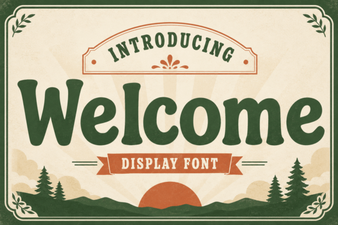 Welcome Fonts for Creative Web Design Projects
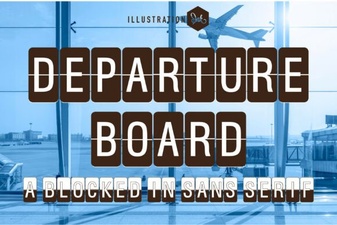 Create a Dynamic Departure Board with a Digital Font
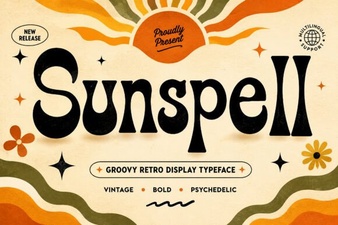 Sunspell Font: a Retro Display Typeface for Projects
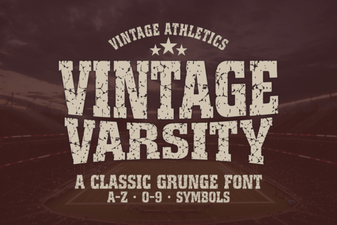 Unlock Retro Designs with Vintage Varsity Fonts
 Rabbit Hole Font Design Projects & Tutorials
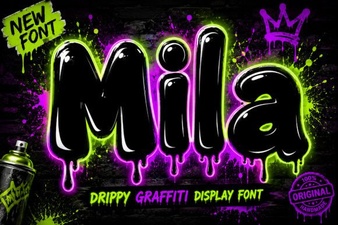 The Mila Font: Elegant Modern Typography for Designers