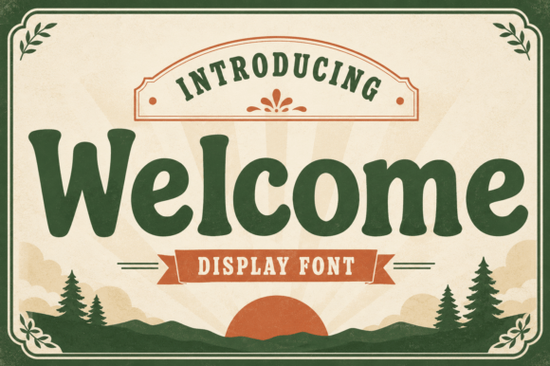
If you need a typeface that feels both sturdy and approachable, Welcome Font delivers exactly that. It is a slab serif display typeface built with bold letterforms, softened edges, and subtle retro details that keep it from looking too rigid. Designers, print-on-demand sellers, and small business owners often choose this style when they want text that grabs attention without shouting. The rounded curves give it a friendly vibe, while the heavy weight ensures it stays readable on screens and printed materials alike.
What makes this slab serif typeface stand out?
Most heavy serif fonts lean either too industrial or too decorative. This one sits comfortably in the middle. The characters carry a warm vintage charm that works well for modern branding projects that need a touch of nostalgia. You will notice the soft terminals and slightly whimsical quirks in letters like the lowercase a and g, which add personality without hurting legibility. Because the x-height is generous and the spacing is open, it holds up nicely at larger sizes. That makes it a reliable pick for storefront graphics, packaging labels, and social media banners where quick readability matters.
Where does it work best in real projects?
This typeface shines when you give it room to breathe. It is not meant for long paragraphs or fine print. Instead, use it for short headlines, logo lockups, and statement text. Here are a few practical applications that tend to perform well:
- Café and retail signage: The bold weight reads clearly from a distance, and the retro feel matches cozy, community-focused spaces.
- Children’s merchandise and POD items: The rounded edges feel safe and playful, which works nicely on t-shirts, tote bags, and nursery art.
- Brand identities and packaging: Pair it with a clean sans serif for body copy, and let the display font handle the main product name or tagline.
- Event posters and digital ads: The high contrast and sturdy structure keep the message sharp even when scaled down for mobile feeds.
When you are setting up print files, remember to convert the text to outlines or embed the font properly. This prevents missing glyph errors when sending artwork to commercial printers or print-on-demand fulfillment centers.
How do you pair it with other display typefaces?
Mixing display fonts can quickly become messy if you do not watch the weight and mood. Since this slab serif already carries a lot of visual weight, pair it with lighter, simpler styles. If you are building a sporty or school-themed layout, you might browse athletic lettering styles that use clean geometric lines to balance the retro curves. For a more polished academic look, traditional varsity alternatives can sit nicely in subheadings while the main font handles the title.
When designing for kids or family-friendly brands, contrast is your friend. You can combine this typeface with hand-drawn playful options for accent text, or test soft decorative scripts to add a gentle, feminine touch to secondary messages. Just keep the hierarchy clear: one dominant font for the headline, one supporting font for details, and plenty of white space around both. If you want to see how it looks alongside other popular choices, you can preview the Welcome Font directly on the marketplace before adding it to your library. You can also browse the complete typeface preview page to see how the glyphs render at different sizes.
What should you check before downloading?
Font files often come with different license tiers, and picking the wrong one can cause headaches later. Always verify whether the package includes a commercial license if you plan to sell physical products, digital templates, or client work. Check the file formats as well. Most design software runs smoothly with OTF or TTF files, while web projects may need WOFF versions. If you use cutting machines for vinyl decals or heat transfer vinyl, make sure the font installs correctly in your operating system so your design software can access the full character set.
Another practical detail is glyph support. If your project requires accents, punctuation, or special symbols, open the character map before you start designing. Some display typefaces focus heavily on uppercase letters and basic Latin characters, which is fine for English headlines but might limit multilingual branding. Testing a few sample words in your actual layout will save you from last-minute replacements.
Quick setup checklist before you start designing
- Install the OTF/TTF files and restart your design software to refresh the font menu.
- Test kerning on tight letter combinations like AV, WA, and TY to ensure even spacing.
- Set line height to at least 1.2x the font size when stacking multiple words.
- Export a print-ready PDF with embedded fonts or converted outlines.
- Verify your license covers the intended use, especially for print-on-demand sales or client deliverables.
Take a few minutes to run through these steps, and your typography will look polished from the first draft to the final export. When you match the right license, file format, and layout spacing, this slab serif will handle heavy visual work without losing its friendly, retro character.
Get Started Create a Dynamic Departure Board with a Digital Font
 Sunspell Font: a Retro Display Typeface for Projects
 Unlock Retro Designs with Vintage Varsity Fonts
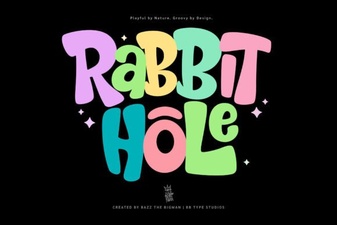 Rabbit Hole Font Design Projects & Tutorials
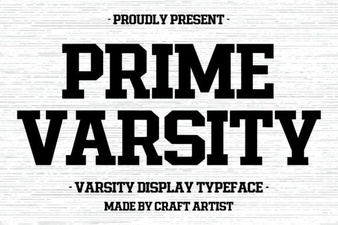 Prime Varsity Font for High-Performance Designs
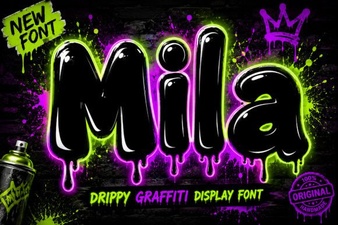 The Mila Font: Elegant Modern Typography for Designers